Outcome of consultation to extend the age range of Livingstone Puffins Pre-School
| A Note From Mr Thornes |
|
|
Hello all,
I'd like to offer you a warm welcome to our website.
We've recently updated the site and it's now easier to navigate and reflects the principles of Livingstone very well.
We are a community school at Livingstone and we love to inspire the pupils, we celebrate our differences whenever possible. Our pupils have active minds, tons of enthusiasm and there's always a lot happening here.
I'm really proud to be leading a fantastic team of staff and everyone is united in our effort to help every pupil improve and meet their potential. School life here is fun, stimulating, varied, rigorous but also above all enjoyable.
Have a look about, or come and see us in action!
Welcome to Livingstone...
Mr Thornes
|
|
No Events to show
Help - Adding External Calendars
Below you will find instructions on how to add calendars from different platforms:
Google Calendar
- 1. Open Google Calendar in your browser
- 2. Click the settings gear icon next to your calendar
- 3. Select "Settings and sharing"
- 4. Scroll down to "Access permissions" section
- 5. Copy the "Public URL to this calendar" link
- 6. Paste the link in the "Calendar link" field
https://calendar.google.com/calendar/embed?src=example@gmail.comOutlook Calendar
- 1. Open Outlook Calendar in your browser
- 2. Click "Share" next to your calendar
- 3. Select "Publish calendar"
- 4. Copy the "ICS" or "Web link"
- 5. Paste the link in the "Calendar link" field
https://outlook.live.com/calendar/action/view?id=exampleApple iCloud Calendar
- 1. Open iCloud Calendar in your browser
- 2. Click "Share" next to your calendar
- 3. Select "Public calendar"
- 4. Copy the "Public calendar" link
- 5. Paste the link in the "Calendar link" field
https://p123-calendars.icloud.com/published/2/exampleICS File
- 1. Find a link to an .ics file
- 2. The link must end with .ics
- 3. Paste the link in the "Calendar link" field
- 4. Example: https://example.com/calendar.ics
https://example.com/calendar.icsHelp - Adding External Calendars
Below you will find instructions on how to add calendars from different platforms:
Google Calendar
- 1. Open Google Calendar in your browser
- 2. Click the settings gear icon next to your calendar
- 3. Select "Settings and sharing"
- 4. Scroll down to "Access permissions" section
- 5. Copy the "Public URL to this calendar" link
- 6. Paste the link in the "Calendar link" field
https://calendar.google.com/calendar/embed?src=example@gmail.comOutlook Calendar
- 1. Open Outlook Calendar in your browser
- 2. Click "Share" next to your calendar
- 3. Select "Publish calendar"
- 4. Copy the "ICS" or "Web link"
- 5. Paste the link in the "Calendar link" field
https://outlook.live.com/calendar/action/view?id=exampleApple iCloud Calendar
- 1. Open iCloud Calendar in your browser
- 2. Click "Share" next to your calendar
- 3. Select "Public calendar"
- 4. Copy the "Public calendar" link
- 5. Paste the link in the "Calendar link" field
https://p123-calendars.icloud.com/published/2/exampleICS File
- 1. Find a link to an .ics file
- 2. The link must end with .ics
- 3. Paste the link in the "Calendar link" field
- 4. Example: https://example.com/calendar.ics
https://example.com/calendar.icsNews
Doctors in Puffins
The children are learning about Doctors this week and how they can help us. The children tried to make each other feel better.
IMG_8887.JPG
IMG_8890.JPG
IMG_8905.JPG
IMG_8927.JPG
IMG_8943.JPG
Number Day in Wrens
Wrens had a great Number Day today. We had some amazing robots and rockstars arrive this morning ready for a day of games, escape rooms and puzzles. This afternoon they all took part in the Numbots challenge and designed their own number robot.
Number Day 10.JPG
Number Day 11.JPG
Number Day 13.JPG
Number Day 14.JPG
Number Day 15.JPG
Number Day 16.JPG
Number Day 17.JPG
Number Day 18.JPG
Number Day 19.JPG
Number Day 20.JPG
Number Day 21.JPG
Number Day 5.JPG
Number Day 6.JPG
Number Day 7.JPG
Number Day 8.JPG
Investigating cress in Reception!
In Reception we learned all about plants and how they grow. We did an investigation about the best growing conditions for cress. We put two pots (one with water and one without) in a dark cupboard and two pots on the windowsill (one with water and one without). We were very excited to find out that the plant with sunlight and water grew the healthiest, although the one with just water in the dark grew very quickly but was very thin and yellow!
Clay leaves in Reception
As part of our learning about plants we explored using clay to make our own leaves! We used templates to help us mould the clay into the correct shapes and then used tools to add details. They were very effective and we were very proud of them!
IMG_2202.JPG
IMG_2203.JPG
IMG_2205.JPG
IMG_2206.JPG
IMG_2207.JPG
Decorating Our Puppets - Robins Class
For our DT textiles topic, we have been learning how to join fabric using the running stitch technique. The children practised sewing carefully to connect different pieces of fabric. They then designed what they wanted their puppets to look like and decorated them using a variety of materials. The children loved seeing their finished puppets come to life.
IMG_2998.HEIC
IMG_2999.HEIC
IMG_3002.HEIC
new.jpg
Planting Sunflowers
The Puffins have planted Sunflower seeds, we are making sure they have water and sunshine so they will hopefully grow.
IMG_9396.JPG
Volcano's in Puffins
The Puffins loved watching the volcano. We put mento mints into fizzy drinks and watched what happened.
IMG_9427.JPG
Tree of Life - Art in Robins Class
This term in Robin’s class we have been learning how to create 3D art using paper. Our final piece was called The Tree of Life. We learned different techniques such as rolling, folding, making spirals, zigzags, and overlapping paper to build texture and shape. Using these skills, we created a three-dimensional tree with flowers and animals.
IMG_3306.HEIC
IMG_3307.HEIC
IMG_3308.HEIC
IMG_3309.HEIC
IMG_3310.HEIC
IMG_3311.HEIC
IMG_3312.HEIC
IMG_3314.HEIC
IMG_3315.HEIC
IMG_3316.HEIC
IMG_3319.HEIC
IMG_3320.HEIC
IMG_3321.HEIC
IMG_3322.HEIC
IMG_3323.HEIC
IMG_3330.HEIC
IMG_3331.HEIC
Science Week in Year 1 - Tumbling Toast
Wrens did a science experiment to try to find the answer to the question, does toast always land butter side down if dropped on the floor? They set up their investigation and recorded the number of times the toast landed on each side. Unfortunately they concluded that your toast is more likely to fall butter side down.
Toast Experiment 1.jpg
Toast Experiment 10.jpg
Toast Experiment 11.jpg
Toast Experiment 2.jpg
Toast Experiment 3.jpg
Toast Experiment 4.jpg
Toast Experiment 5.jpg
Toast Experiment 6.jpg
Toast Experiment 7.jpg
Toast Experiment 8.jpg
Toast Experiment 9.jpg
Parrots plant Broad beans and begin their growing adventure
IMG_5567.JPG
IMG_5569.JPG
IMG_5570.JPG
IMG_5571.JPG
IMG_5573.JPG
Science Week in Year 2
During Science Week, the children took part in an exciting experiment to explore the question, “Are bubbles always a sphere?” Working in groups of four, the children used their curiosity to make predictions and created their own bubble wands in different shapes. They had great fun testing their ideas and observing the results. The children discovered that no matter what shape the wand was, the bubbles always formed a sphere, which led to some great discussions and scientific thinking.
IMG_1705.HEIC
IMG_1708.HEIC
IMG_1709.HEIC
IMG_1710.HEIC
IMG_1712.HEIC
IMG_1714.HEIC
IMG_1717.HEIC
IMG_1718.HEIC
Wagtails Multisports
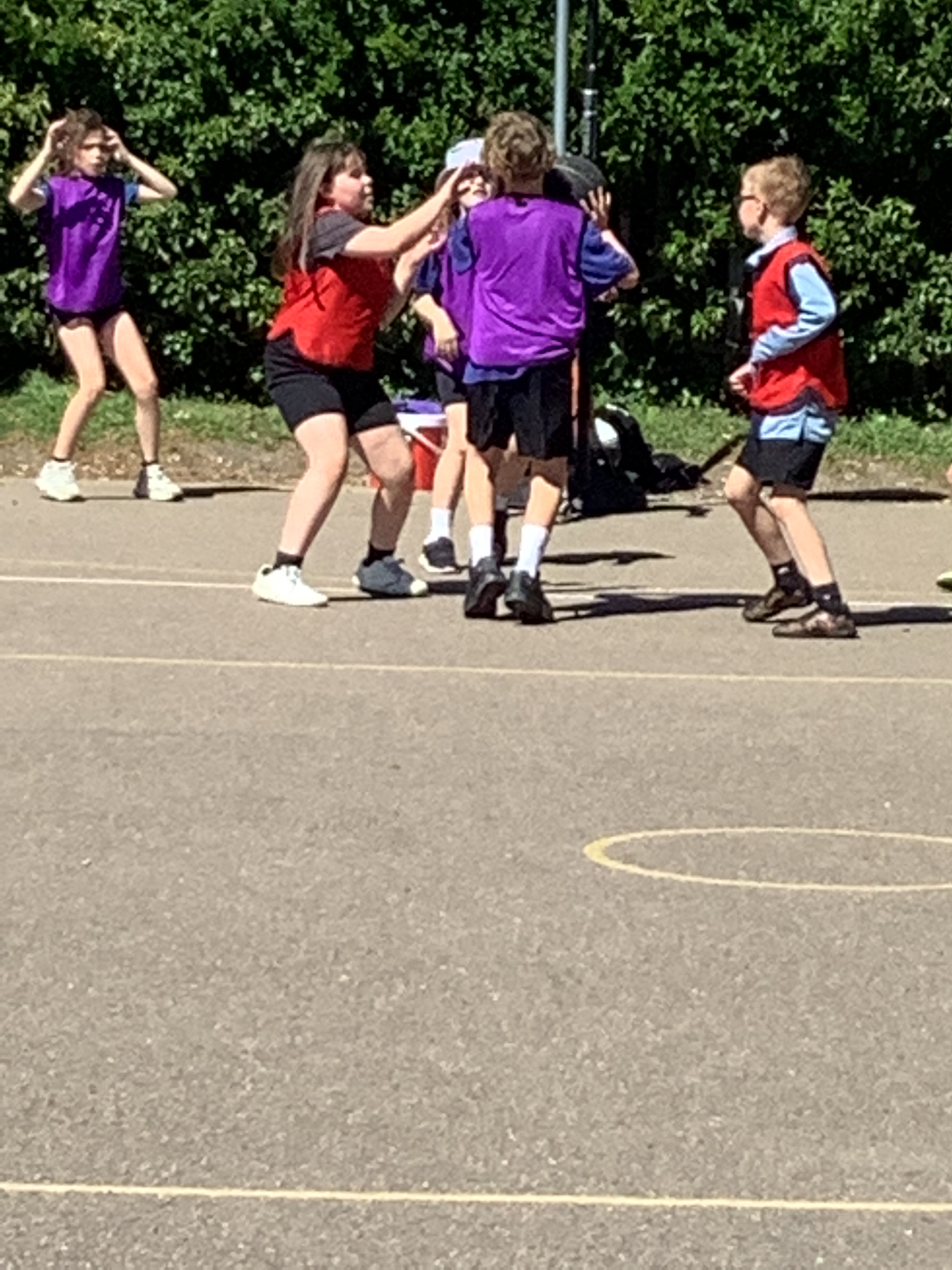
Wagtails had a wonderful time at Goldington Academy joining in a variety of sports earlier this week. It was so lovely to see how well the children represented Livingstone and all of them had a great time!
IMG_3367.jpeg
IMG_3378.jpeg
IMG_3403.jpeg
IMG_3427.jpeg
Year 3 Science
Year 3 had a great time playing The Pollination Game during science. They had to go around the board and try to get their flowers pollinated! We also dissected daffodils to look at the different parts inside a flower. The children loved looking at the tiny eggs and touching the pollen.
IMG_3357.jpeg
IMG_3358.jpeg
IMG_3359.jpeg
IMG_3463.jpeg
IMG_3465.jpeg
IMG_3466.jpeg
IMG_3469.jpeg
IMG_3470.jpeg
Year 4 Careers Day Inspires Future Dreams
Year 4 had an exciting and inspiring Careers Day where we welcomed lots of special visitors who came to talk about the jobs they do. The children listened carefully and asked great questions as they learned about many different careers.
IMG_3747.jpg
Discovering pollination in Woodpeckers
This week, Woodpeckers have discovered how flowers are pollinated. They had great fun playing a game to demonstrate this. After the game, we discussed what could happen if certain flowers are not pollinated.
IMG_44111.PNG
The Puffins have started PE lessons
The Puffins have started PE lesson with Mr Sinclair. They have PE session every Wednesday for 30 minutes. The children are really enjoying the different games they are playing.
IMG_9188.JPG
IMG_9189.JPG
IMG_9194.JPG
IMG_9195.JPG
IMG_9208.JPG
IMG_9233.JPG
IMG_9251.JPG
IMG_9253.JPG
Year 6 News :)
So far this half-term, Year 6 pupils have been working hard on their Maths and Literacy skills in preparation for the MOCK SATS taking place in March. However, they have also found time to: add paint, colour and outlines to their self-portraits in Art; explore new themes and characters in Holes; discuss Evolution in Science and dance their socks off in PE!
IMG_2998.HEIC
IMG_2999.HEIC
IMG_3001.HEIC
IMG_3002.HEIC
IMG_3003.HEIC
Scientific Woodpeckers
This week, Woodpeckers have been learning about flowers and pollination. To investigate this further, they disected a daffodil and identified all the different parts. As well as discovering these parts, they also had to learn lots of new vocabulary.
IMG_4388.jpeg
IMG_4396.jpeg
Dragons
To introduce our new English topic, the children created pictures of dragons using a range of materials. They used black sugar paper as a background, chalk to add detail and string to create the dragon’s body. The children showed great creativity and care in their artwork, producing some fantastic dragon pictures to inspire their upcoming writing.
IMG_1979.jpeg
IMG_1980.jpeg
IMG_1981.jpeg
IMG_1982.jpeg
IMG_1983.jpeg
IMG_1984.jpeg
Year 6 News!
Year 6 have had an exceptionally busy, exciting and fun-filled half-term!
The children have produced some beautiful pieces of writing based upon a short film; enjoyed reading Who Let the Gods Out? by Maz Evans; mastered Algebra in Maths; began sketching self-portraits aaaannnnddd... enjoyed learning about energy sources during Geography! Phew! And that's only some of it!
Not to mention...they also had great fun dressing up as rock stars, completing a TTRockstars class competition and Escape Room during Number Day last Friday!
Kestrels.jpg
Kings 1.JPG
Kings 2.JPG
newspaper writing 2.jpg
self-portrait 1.jpeg
self-portrait 2.jpg
WLTGO pic.jpeg
Doctors in Puffins
The children are learning about Doctors this week and how they can help us. The children tried to make each other feel better.
IMG_8887.JPG
IMG_8890.JPG
IMG_8905.JPG
IMG_8927.JPG
IMG_8943.JPG
Number Day in Wrens
Wrens had a great Number Day today. We had some amazing robots and rockstars arrive this morning ready for a day of games, escape rooms and puzzles. This afternoon they all took part in the Numbots challenge and designed their own number robot.
Number Day 10.JPG
Number Day 11.JPG
Number Day 13.JPG
Number Day 14.JPG
Number Day 15.JPG
Number Day 16.JPG
Number Day 17.JPG
Number Day 18.JPG
Number Day 19.JPG
Number Day 20.JPG
Number Day 21.JPG
Number Day 5.JPG
Number Day 6.JPG
Number Day 7.JPG
Number Day 8.JPG
Investigating cress in Reception!
In Reception we learned all about plants and how they grow. We did an investigation about the best growing conditions for cress. We put two pots (one with water and one without) in a dark cupboard and two pots on the windowsill (one with water and one without). We were very excited to find out that the plant with sunlight and water grew the healthiest, although the one with just water in the dark grew very quickly but was very thin and yellow!
Clay leaves in Reception
As part of our learning about plants we explored using clay to make our own leaves! We used templates to help us mould the clay into the correct shapes and then used tools to add details. They were very effective and we were very proud of them!
IMG_2202.JPG
IMG_2203.JPG
IMG_2205.JPG
IMG_2206.JPG
IMG_2207.JPG